

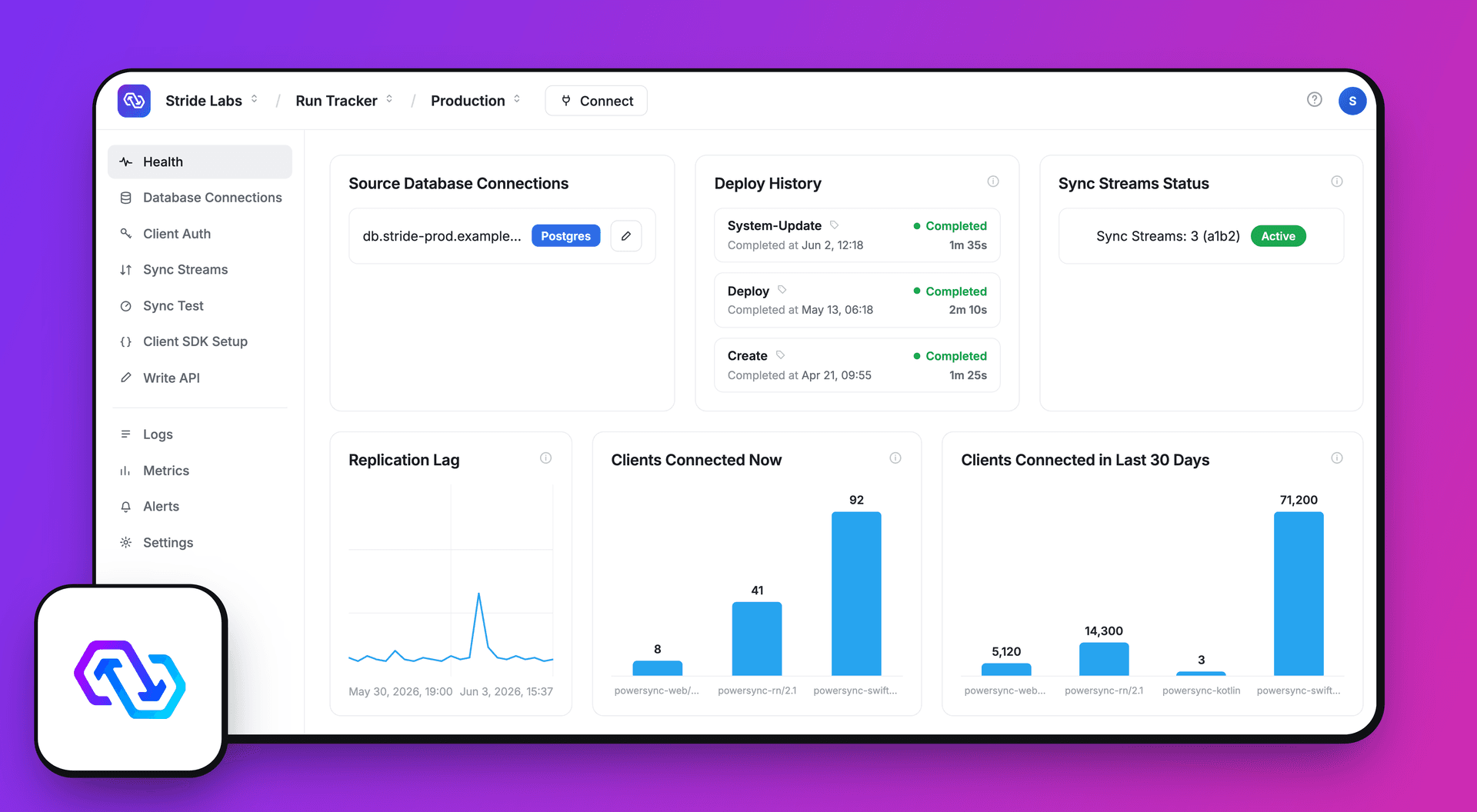
When we set out to rebuild the PowerSync Dashboard, we decided it would be more than a technical migration and UI refresh. It was a chance to dogfood our own product in production and share what we learned along the way. This post documents that journey.
Why We Rebuilt: Learning from User Feedback
Three Goals Driving the Rebuild
The most common feedback from users was that the original dashboard felt “confusing and unintuitive” compared to modern tools like Supabase.
The original dashboard was built using existing JourneyApps infrastructure and a framework designed for a different use case. The experience was fragmented: features like user account management and billing were relegated to a separate portal, forcing users to jump between tabs just to manage a single organization.
Driven by this feedback, we set out with three clear objectives for a new architecture. First, we wanted to replace the IDE-like complexity and problematic UX with something simpler. Second, we committed to dogfooding our own sync engine to power the dashboard’s data layer. Finally, we wanted this project to serve as a best practices reference for our community, demonstrating how to build a multi-tenant SaaS application with PowerSync on the web.
Backend & API Architecture
Our Existing Backend
The PowerSync Cloud control-plane is composed of CRUD/RPC-style APIs that are backed by our existing MongoDB databases.
First Iteration of the New Dashboard
The new dashboard was built using a conventional Single Page Application (SPA) stack. This included React 19 as the core library, Vite for efficient bundling, and Turborepo for managing the monorepo structure. For client-side routing, we first chose React Router 7, and the user interface was built with shadcn/ui components. Data fetching and mutation handling against the backend APIs were managed using TanStack Query, with Axios serving as the primary HTTP client.
PowerSync Dogfooding
Using PowerSync for the dashboard required us to engage with the same documentation, use the same APIs, and confront the same decisions that our users face.
A critical decision to make when building with sync engines is defining sync boundaries. For the dashboard, we chose a hybrid architecture that plays to the strengths of both sync and traditional APIs.
Decision: Read-Path Only Sync
The dashboard manages a sophisticated hierarchy of entities: Users, Organizations, Plans, Projects, Instances, Operations, Logs, and Metrics. Our backend provides APIs for mutations on these entities, but the read-path was where we saw the most potential for improvement with a sync engine.
The dashboard read path includes data that is read frequently but changed relatively rarely.
Because the dashboard is responsible for managing critical infrastructure, we require server-side validation and auditing. While the PowerSync write path offers optimistic updates, the resulting complexity of handling asynchronous rollbacks and server-side validation can be significant. Therefore, we decided to initially go with the simpler API-first write path that provides synchronous server-side validation and auditing.
What We Sync (And What We Don’t)
The current iteration syncs Operations and Instance Configurations to SQLite, which include Sync Config definitions. Entities like User Profiles and Plans, which are currently distributed across our microservices, remain on standard API calls, with a plan to unify and integrate them into the sync layer in the future.
By contrast, we do not sync high-volume or temporal data like Logs and Metrics. Sensitive authentication flows and Billing and Usage operations also remain behind standard API calls.
This hybrid approach makes navigating to an instance feel instantaneous because the data is already in the local SQLite database. Loading spinners have effectively vanished from the main navigation flow, and the UI updates in real-time.
From Sync Rules to Sync Streams: A Real-World Evolution
The most significant learning came from actually using PowerSync at scale for our own dashboard. Here's how our approach evolved:
Sync Rules with JWT Parameters
Our first iteration utilized the classic Sync Rules system, the method for defining what data is synchronized to the client. We configured it to embed the required project_id in the JWT as shown in the configuration below:
bucket_definitions:
  project_data:
    parameters: select request.jwt() ->> 'project_id' as project_id
    data:
      - SELECT * FROM instances WHERE project_id = bucket.project_id
      - SELECT * FROM operations WHERE project_id = bucket.project_id
This worked, but critically, switching between projects required generating a new JWT, disconnecting and reconnecting to the PowerSync Service, and waiting for the full sync to complete. These delays and loading states were breaking the instant and fluid UI that sync engines are meant to deliver.
Next Iteration: Sync Streams
We migrated to our new Sync Streams system, which provides native support for on-demand syncing.
In the Sync Streams implementation, we pass an array of project_ids, and check it against the JWT for proper authorization. See Sync Streams: Using Parameters for more detail.
streams:
  instances:
    query: SELECT * FROM instances WHERE project_id = subscription.parameter('project_id') AND project_id IN auth.parameter('project_ids')
  operations:
    query: SELECT * FROM operations WHERE project_id = subscription.parameter('project_id') AND project_id IN auth.parameter('project_ids')

# Note: at the time of writing, edition: 3 is available and recommended
config:
  edition: 2
Now, switching projects simply subscribes to a new stream. If a user switches back to a previous project, the data is already in SQLite and appears instantly
The “Too many parameter query results” issue
During migration, we hit an edge case where the service attempted to resolve our IN clauses as independent queries, leading to an explosion of intermediate results and a "Too many parameter query results" error.
We fixed this by converting the IN clause to a static check:
WHERE project_id = subscription.parameter('project_id') AND (subscription.parameter('project_id') IN auth.parameter('project_ids'))This specific insight has directly informed our new Sync Streams Compiler, which automatically optimizes these patterns for all users.
Dogfooding Insights: Local-Only Tables
While building the Sync Config page, we needed a way to store local drafts as users were editing their Sync Config. We realized that we can unify our data layer and simplify state management by using a Local-Only table. In this way we can use the same useQuery hooks for both synced cloud data and temporary local drafts.
For reference here is the table definition:
export const DraftSyncStreamsTable = {
  tableDefinition: sqliteTable('draft_sync_streams', {
    id: text('id').primaryKey(),
    instance_id: text('instance_id'),
    valid: integer({ mode: 'boolean' }),
    definition: text('definition'),
    created_at: integer('created_at', { mode: 'timestamp' }),
    updated_at: integer('updated_at', { mode: 'timestamp' })
  }),
  options: { localOnly: true }
};
And the useDraftSyncStreamQuery hook:
import { db } from '~/lib/powersync';
import { useQuery } from '@powersync/tanstack-react-query';
import { toCompilableQuery } from '@powersync/drizzle-driver';

export const useDraftSyncStreamQuery = ({ instanceId }: SyncStreamVariable) => {
  const query = toCompilableQuery(
   db.select().from(DraftSyncStreamsTable).where(eq(DraftSyncStreamsTable.id, instanceId)).limit(1)
  );
  return useQuery({ queryKey: `${instanceId}-drafts`, query });
};
Modern Web Stack: The TanStack Router Pivot Story
We started with React Router 7, but a hackday exploration of TanStack Router changed our trajectory. After migrating just two routes, we decided to switch. We get file-based routing that makes sense and type safety that makes it nearly impossible to break a link.
TanStack Router with its great TypeScript developer experience provides us 100% autocompletion for route paths and search parameters. It provides flexible route declarations of nested, layout or pathless routes. With automatic prefetching, it makes navigation feel local. We were really impressed and migrated the entire dashboard in a day.
Development Velocity Through AI & Process
v0 for Wireframes to Initial UI
We used v0 to bridge the gap between wireframes and code. By feeding wireframes into v0, we generated shadcn-based components that got us most of the way to the finish line, allowing us to focus our energy on logic rather than CSS.
Context Engineering with AGENTS.md
AI assistance is only as good as the context you provide. Maintaining a strict AGENTS.md file not only ensures that every AI output adheres to our technical standards (like strict TypeScript types and accessibility patterns) but also significantly increases development velocity by ensuring code consistency and reducing review time.
Here is a snippet of our AI guidelines:
# AI Assistant Guidelines

## Core Development Philosophy
- **KISS**: Keep It Simple, Stupid
- **YAGNI**: You Aren't Gonna Need It

## TypeScript Configuration (STRICT REQUIREMENTS)
- **NEVER use `any` type** - use `unknown` if type is truly unknown
- **MUST have explicit return types** for all functions
- **MUST use `ReactElement` instead of `JSX.Element`** for React 19

## Component Guidelines
- **MAXIMUM 200 lines** per component file
- **MUST handle ALL states**: loading, error, empty, and success
- **MUST verify actual prop names** before using components

## TanStack Query Patterns
- Query keys: Hierarchical factory pattern
- Mutations: Automatic cache invalidation
- Prefetch hooks for performance-critical paths

## Form Components
- **MUST use shadcn/ui Field components** for accessibility
- **Required Pattern**: `Field` + `FieldLabel` + `FieldDescription` + `FieldError`
- **Validation**: Zod schemas with `.catch()` for graceful failures
Deployment: Managing Environment Variables
Shipping a modern SPA to multiple environments using a single Docker image presented a classic challenge: how to inject environment variables without rebuilding the image.
Standard Vite builds bake variables into the bundle at build time, but we wanted a more flexible approach. We used import-meta-env to inject these variables at runtime via a simple bash script. We used Node.js's Single Executable Application feature to bundle the injection script into a single binary, keeping our deployment pipeline fast and dependency-free.
Conclusion
Rebuilding the PowerSync Dashboard was as much a product exercise as a frontend project, since it was a great chance to dogfood our own sync engine.
We are currently working toward the next phase, which includes open-sourcing the dashboard and preparing a version for self-hosted infrastructure.
If you have questions about our stack or our architecture, find us on Discord.