

Sync Azure Document DB with SQLite

Avoid the complexities of using APIs to move app state over the network. Get super-fast, always-available offline-first/local-first apps.

Alpha
Azure Document DB
SQLite

Add real-time sync to Azure Document DB

PowerSync streams DocumentDB changes to clients in real-time, so apps can query and mutate local SQLite without waiting on the network.

Sync Streams handle partial syncing under the hood, giving every user just the data they need.
Backend
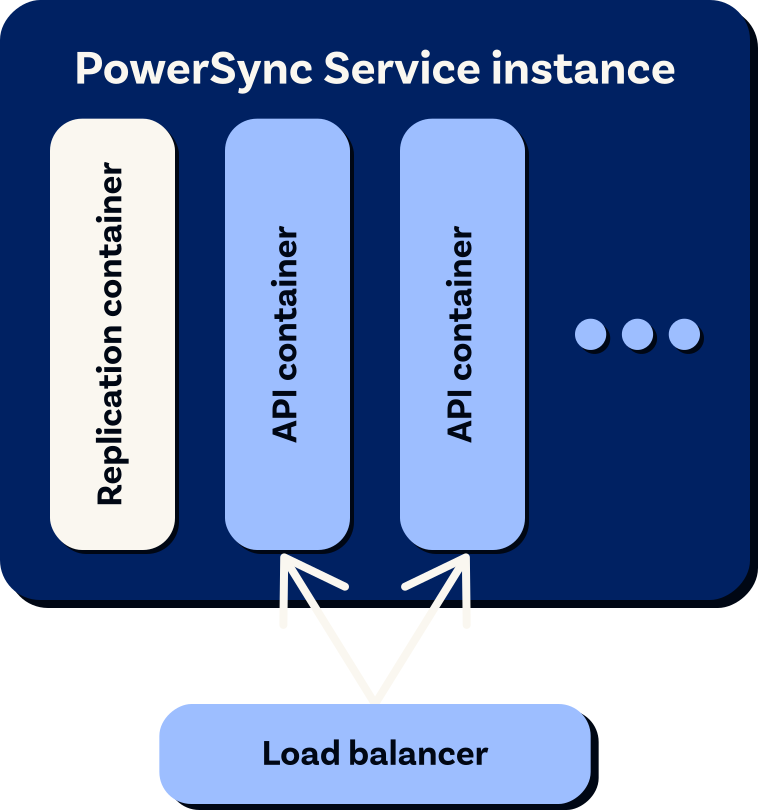
PowerSync Service
Clients
DocumentDB
Change
streams
Sync Streams
WebSocket or
HTTP 
stream
SQLite
SQLite
Azure Document DB, meet SQLite

How data syncs from Azure Document DB to in-app SQLite

Privilege-scoped connection

PowerSync connects to your DocumentDB database with only the limited permissions needed.

Low maintenance

PowerSync automatically handles changes in document structure and JSON Schema with no need for client-side migrations.

DocumentDB
(formerly Azure Cosmos DB for MongoDB vCore)
Collections
Change streams
Replication via change streams

The PowerSync Service uses DocumentDB change streams to detect insert, update and delete operations on documents.

Watched change events
Operation history tracked

The PowerSync Service tracks changes to data in the buckets, allowing for efficient delta syncing to clients.

PowerSync Service
Sync Streams
Sync Streams for partial sync

You define Sync Streams which determine which data is synced to which users. Data is grouped and shared efficiently between users to avoid duplication.

WebSocket or HTTP stream
Authentication using JWTs

Clients authenticate against the PowerSync Service using JWTs.

Real-time sync

The client SDK initially downloads all relevant data and then incrementally keeps it updated, in real time.

Offline-first, including local writes

Writes are immediately applied locally, and queued for upload to your backend API. The PowerSync client SDK automatically handles failures and retries.

PowerSync Client SDK
In-app SQLite
App data tables
Upload queue
Full database on the client-side

On the client, data is persisted to a SQLite database in schemaless format. The application defines a client-side schema which is applied as SQLite views.

Reactive queries

Live reactive queries can be used to update the UI when data changes.

Strong consistency guarantees

PowerSync uses a server-authoritative architecture with a checkpoint system to guarantee consistency.

Control over the write path

Your backend accepts uploaded writes and then applies them to your DocumentDB database.

Backend API
DocumentDB
(formerly Azure Cosmos DB for MongoDB vCore)
Collections
Change streams
Watched change events
PowerSync Service
Sync Streams
WebSocket or HTTP stream
PowerSync Client SDK
In-app SQLite
App data tables
Upload queue
Backend API
On the server-side
On the client-side
See installation instructions:
Source database setup

Highly scalable and enterprise-ready

Horizontally scalable

AWS Private Endpoints available in Cloud

Sharded database support

Planned
See pricing

Implement Azure Document DB & SQLite sync today

Self-hosted PowerSync
Self-hosted PowerSync illustration
Self-host PowerSync